Summary
This article covers how to submit funds to your Spending Account.
Funding is a crucial element in your role. This article goes into the actual steps to fund the account, but to avoid employee frustration we recommend funding your account to a higher number than the minimum amount to ensure claims get continuously reimbursed on a rolling basis.
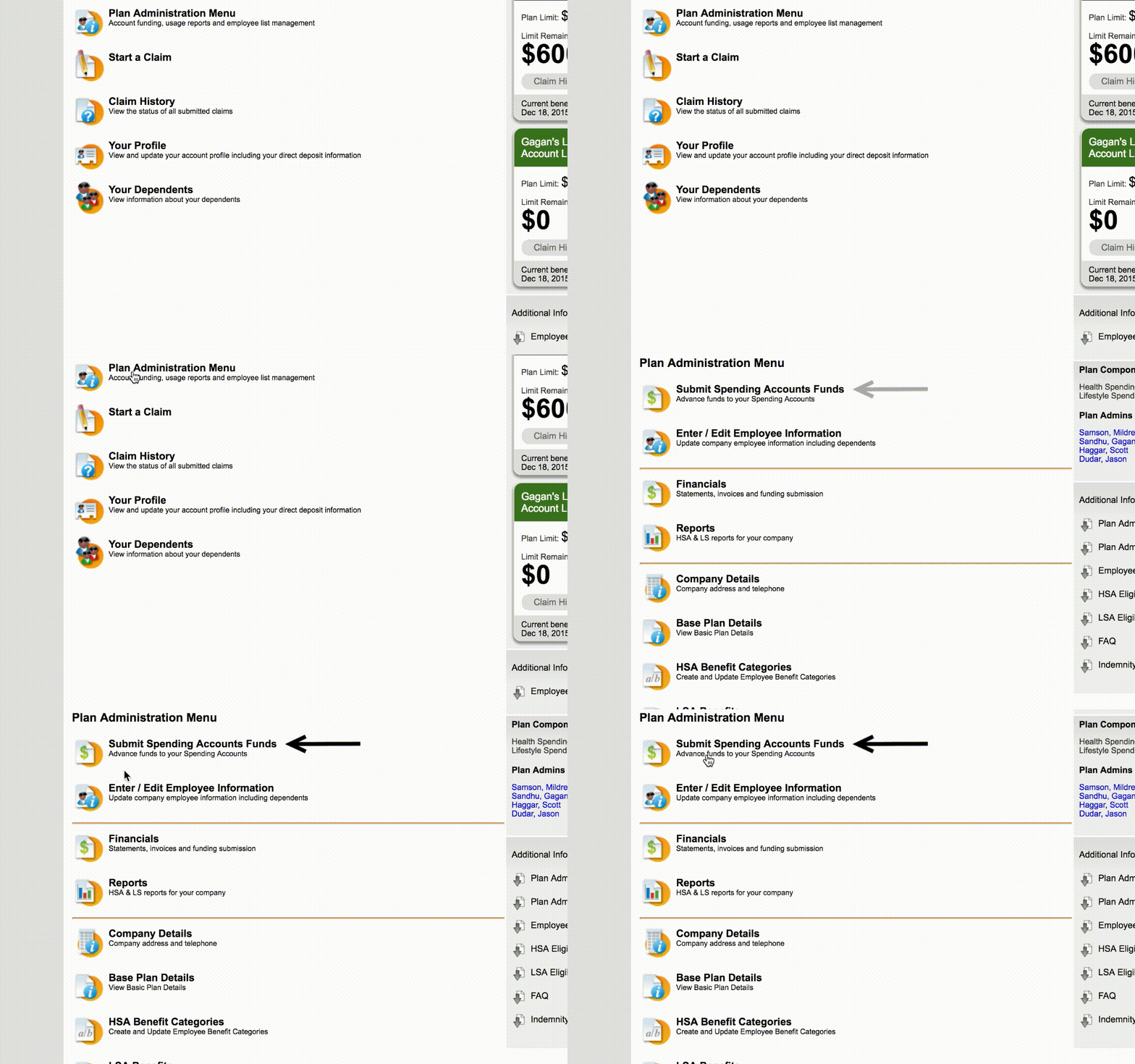
To get started, log in to your Plan Admin Portal at admin.nationalhealthclaim.com
Account Funding Basics
- Account balances are used to reimburse approved employee claims.
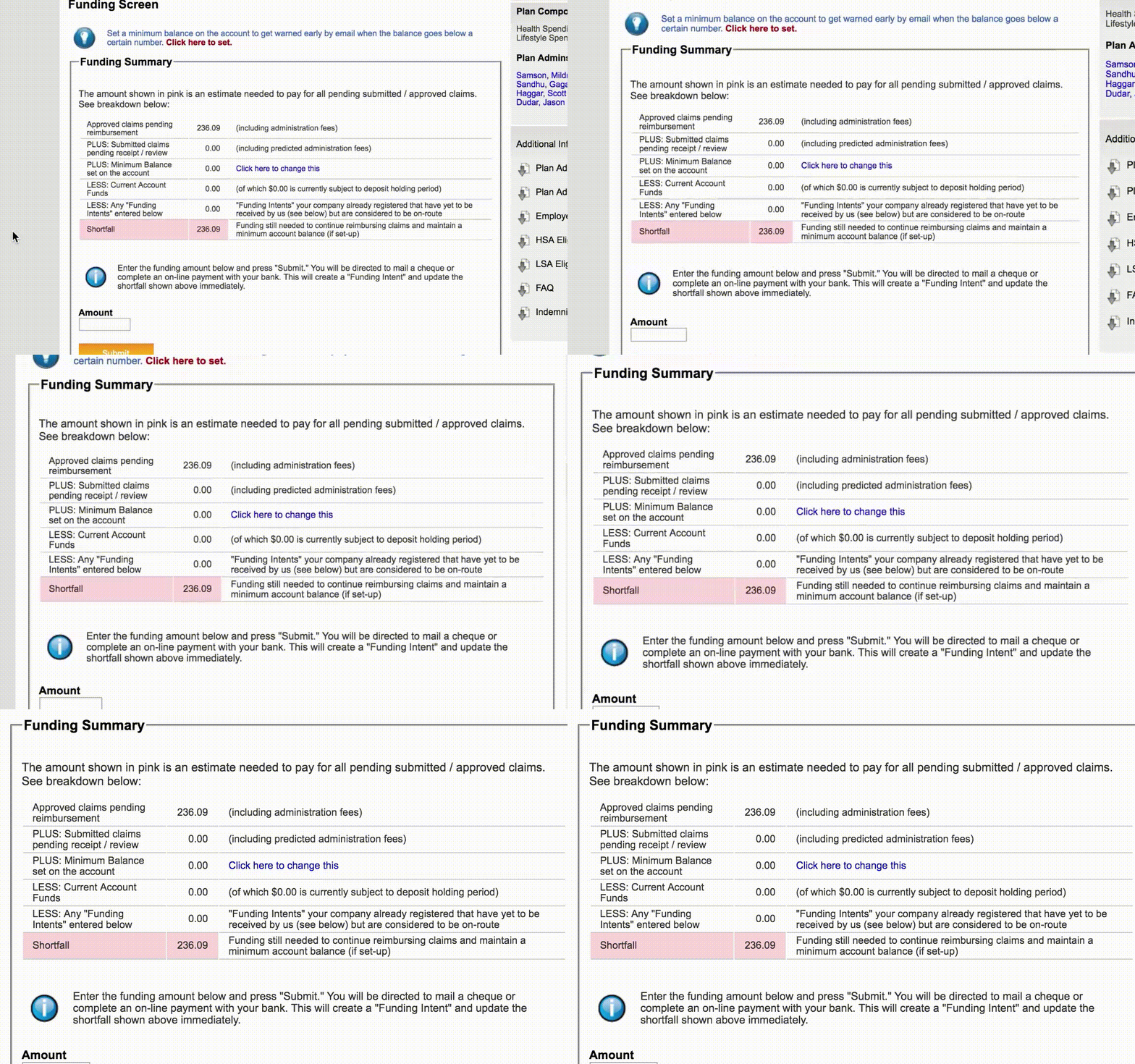
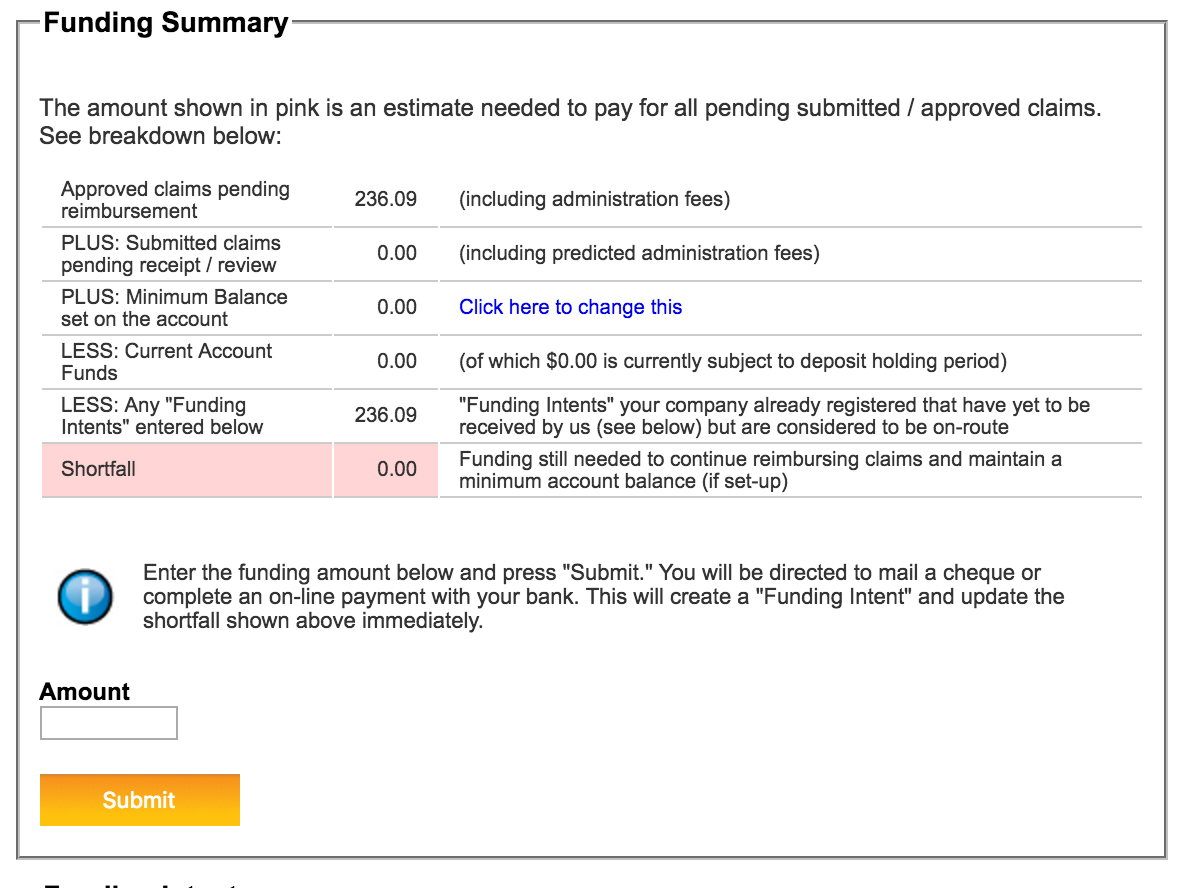
- Plan Administrators can log in to their portal to view their funding summary, which displays the current account balance and any pending claims waiting to be reimbursed.
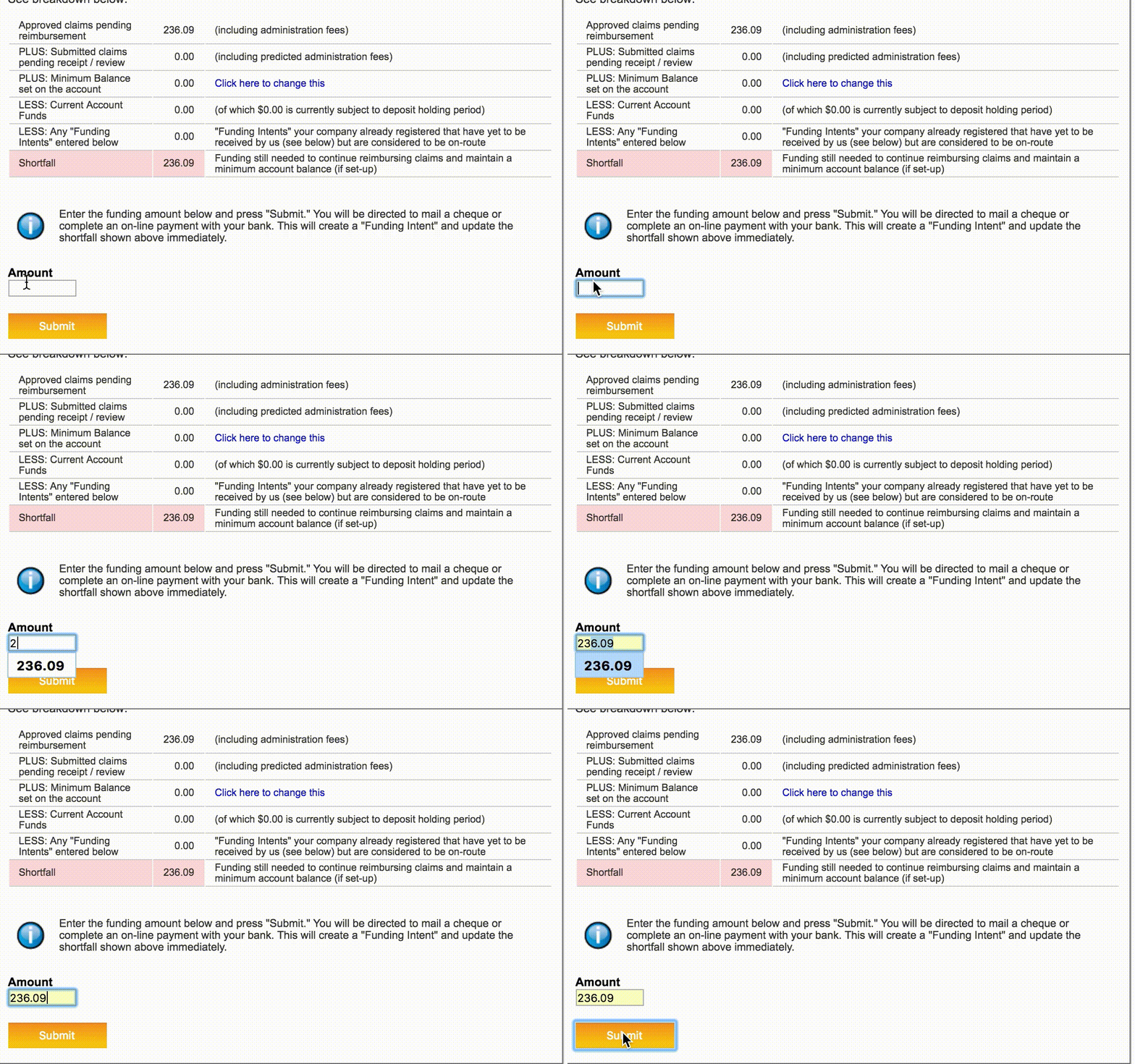
- A shortfall amount will appear if the account balance is insufficient to cover a pending claim.
This video provides a guide on how to fund an account with National Health Claim to ensure employee claims are reimbursed promptly.
Pre-authorized Debit (PAD) - Recommended Method:
This method automates your account funding on a set schedule, eliminating the need for manual transfers.
How it Works:
- Plan Administrators provide company banking details and select a weekly float amount, which is the balance the system maintains in the company account at all times.
We process claim reimbursements every business day when funds are available, but we only pull funds from the company’s bank account once per week. If the balance is at $0 when claims are approved, claim reimbursement could be delayed up to a week. Setting even a modest float means claims can be paid right away.
- Debits happen every Thursday, only when your account needs it.
- If the account balance is at or above the float after pending claims, then no debit occurs that week.
- If the account balance is below the float after pending claims, the system debits the necessary funds to replenish the float.
Plan Administrators receive an email notification on Thursday mornings detailing the amount before processing occurs, and funds are credited to the company’s National HealthClaim account 5 business days after the debit.
To Set Up:
Navigate to the Funding tab and click on the “Set Up Pre-Authorized Debit” button in the Pre-Authorized Debit option.
- Review the Pre-Authorized Debit Agreement and continue to the next screen.
- Enter your company’s banking information (you will need to enter it twice to confirm), and select a weekly float amount. With a funded float, money is available in the company account when claims are approved. Claim reimbursements can process without waiting for the next funding cycle.
- A float amount will be suggested based on the company’s benefit limits, but you can change this to whatever amount works best for your company.
- Review the summary of the information you’ve provided. You can also expand the Pre-Authorized Debit Agreement here to review again as needed. Lastly, the Signing Officer must enter their full name and check the acknowledgement below that all details have been reviewed and are correct.
Click the Submit Authorization button to complete setup.- Please ensure the Signing Officer is also listed on the company account as a Plan Administrator.
That’s it! The first debit will occur the Thursday after setup is completed, and a PDF copy of the signed agreement will become available for download here in the Funding tab.
Ongoing:
You may use other manual funding methods as one-off top-ups at any time; it will not affect your Pre-Authorized Debit schedule.
Banking details and weekly float amounts for Pre-Authorized Debit can be updated at any time via the Funding tab, with changes typically taking one to two business days to process. Please keep in mind that debits scheduled before then may use the previous banking details or float amount.
You can request a PAD cancellation at any time to pause automatic debits; however, any debit already generated for that week will still process. Your account will revert to manual funding, and claims may be delayed if the balance runs low.
Once paused, you will need to reach out to support@nationalhealthclaim.com to reactivate.
Other Manual Funding Options:
Any time the account has a shortfall (needs funding), National HealthClaim will send you a notification email.
If you set up a Minimum Balance Alert on your account, you can also receive a notification when the Spending Account has dipped below a certain threshold you’ve chosen.
Please note, if you have set up your account on Pre-Authorized Debit, you will receive alternative email notifications.
-
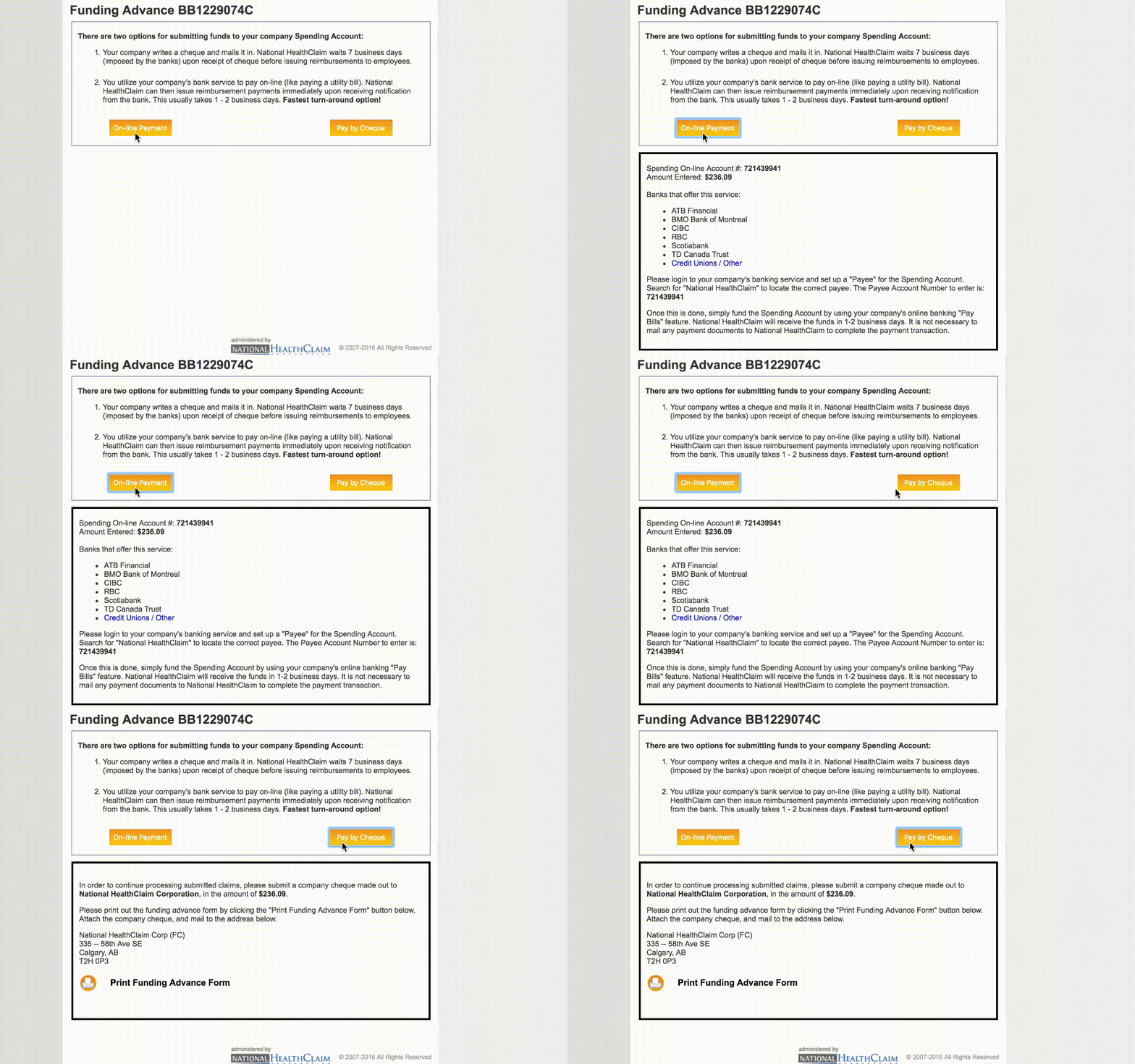
Online Bill Payment: Plan Administrators can find a unique account number under the Funding tab to add National HealthClaim as a payee through their own online banking. This can be used to pre-fund the account or cover specific shortfalls.
Click on the Online Bill Payment option to find the unique Payee Account Number. - Other Methods: The system also supports Direct Deposit & Wire, Interac e-Transfer, and company checks, with additional details available under the funding tab.
For further questions about funding your account, reach out to our Support Team at support@nhealthclaim.com or call 1-866-342-5908.
Comments
0 comments
Article is closed for comments.